

Parametric & Scripting
TrueGrid® is both an interactive mesh generator and a batch mesh generator. You can execute TrueGrid® by switching between the interactive mode and batch mode as convenient. In interactive mode you use the text window, menu, and GUI together to enter commands including parametric expressions. In batch mode you run an existing command file.
TrueGrid® automatically generates a scripting file to record every command needed to reproduce your mesh. This file can be renamed, edited, and run as a command file. You can edit it to replace numeric arguments of any command with parametric expressions. Parameters, algebraic formulas, conditional statements, looping constructs, array processing, user defined functions and include files and many more features are all part of the TrueGrid® scripting language. The scripting language can be seen as a programming language in geometry and mesh generation.
Redesigned Features with Parameters
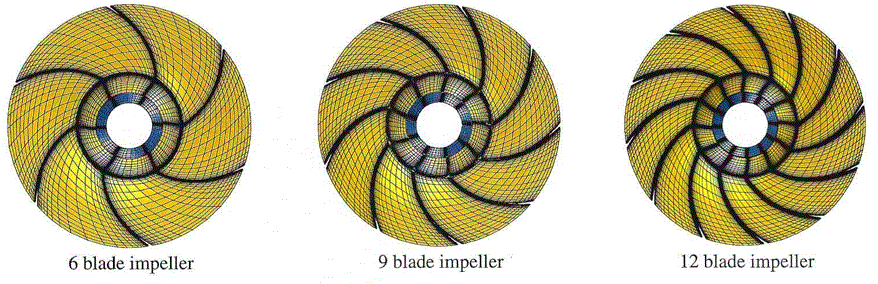
Parameters can be used instead of numbers for specific design features. For this impellor, one of the parameter values designates the number of blades in the mesh. It took only seconds to change the parameter and generate a new model.
Change Mesh Density Globally
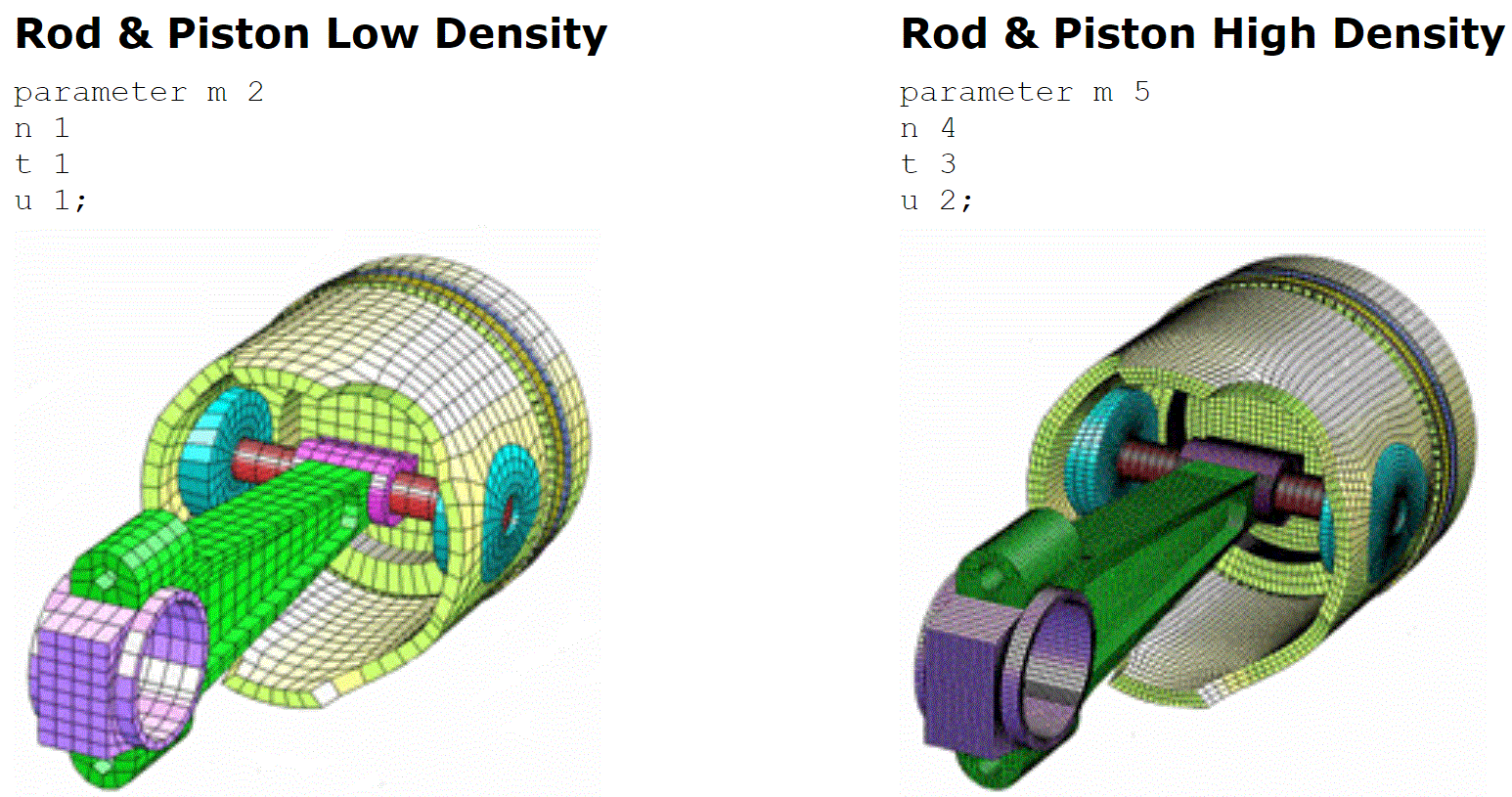
The two meshes below are made from the same Rod and Piston Input Command File. Parameters are changed to switch from one mesh density to another.
We are developing examples of how to incorporate many programming features in TrueGrid® scripts:
using expressions,using parameters to change the design of a model,
using include command,
using an if statement,
using build-in macros,
user defined functions,
construction functions,
automatic parameters