
Multi-Block Structured Parts
TrueGrid® produces highly structured, quality meshes using the multi-block method. Simulation codes usually produce more accurate simulations and more quickly using these meshes. "Multi-block" means that the block topology can be made from multiply connected blocks. Each block is composed of 3D hexahedral, 2D quadrilateral, or 1D linear or quadratic elements arranged in rows, columns, and layers. These blocks can be moved, deleted, replicated or glued to other blocks or parts. TrueGrid® has the flexibility to build a multiple block structured mesh conforming to the most complex geometry.
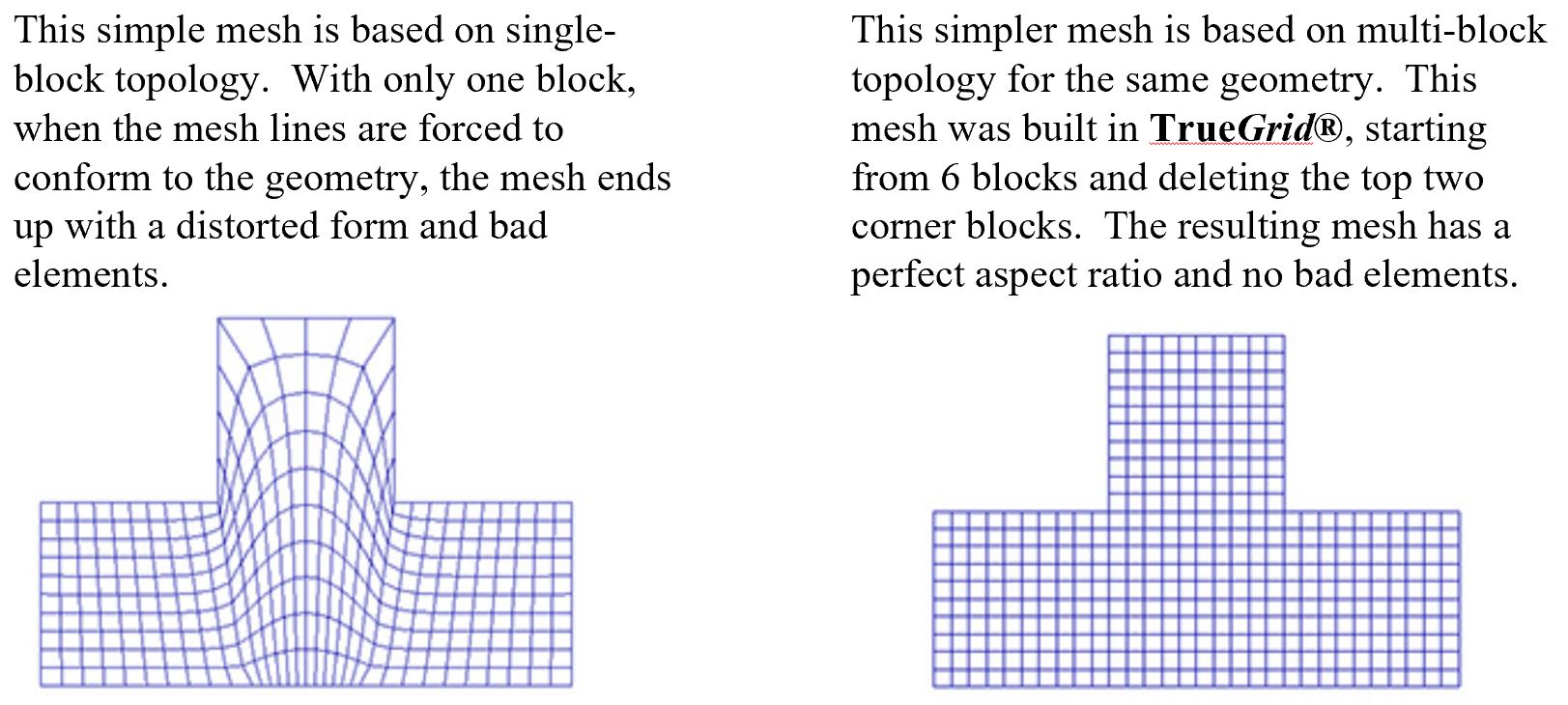
The single-block structure lacks this flexibility and control so even the simplest geometry can have bad results. A following simple 2D example illustrates used to illustrate the importance of a multi-block structure to build proper topology.
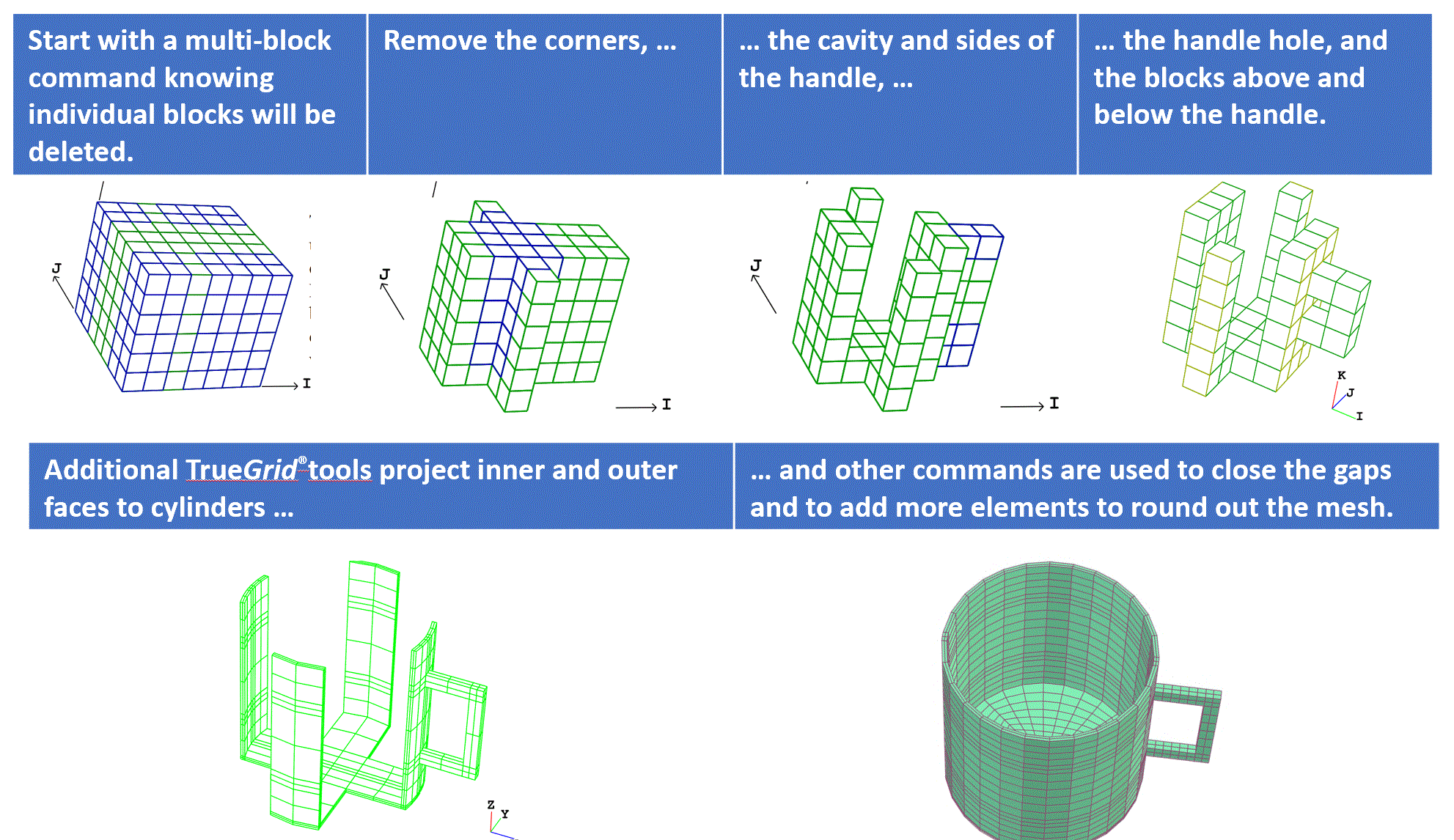
With the multi-block parts, users start out with blocks already connected. A multiple-block part requires some planning. First, imagine the part as embedded in a large block of clay. You chisel away some blocks, thus revealing a very coarse approximation to the geometry of the part. You could get the same result as from gluing together little blocks, but it is easier to cut away than to glue.
A quality mesh guarantees the best analysis results for a problem. Factors that can affect the quality of a mesh include: orthogonality, aspect ratio, warpage, shearing, and torsion. When building a mesh you can greatly improve the quality by choosing the proper topology for the design and using smoothing algorithms to evenly distribute elements. TrueGrid® was developed with both of these issues in mind.
Choosing the Right Topology
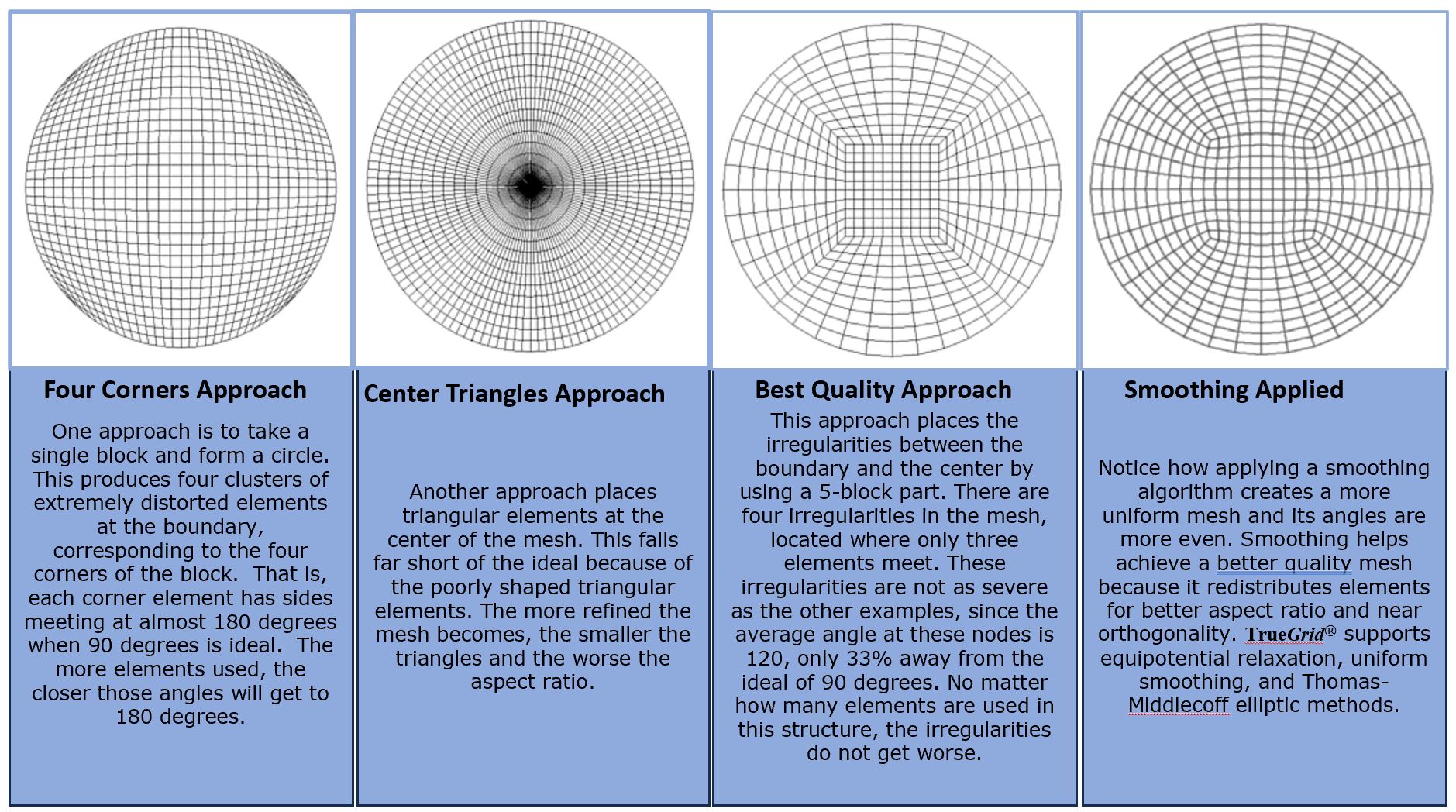
Proper topology affects the quality of a mesh because it dictates the distortion of the elements in a block. Topology will also determine how parts fit together, how key features will be captured, and how this will affect other regions of the mesh. The key to designing the best topology is to use multi-block structured parts. Structured blocks are preferable because they decompose the problem into manageable pieces. To see the importance of a multi-block structure to the design of a mesh, consider the problem of meshing the inside of a circle with quadrilateral elements.
Power of the Multi-block Structure
Once a block mesh has been initialized, the most advanced features of the GUI are available. TrueGrid®'s unique system of geometry selection and highlighting is extremely powerful and frees you from the task of keeping track of coordinates. A sophisticated system of slicing planes and color-coded highlighting makes selection easy. Using the mouse, you can easily isolate points, edges, surfaces, solids and complex combinations of these for use in commands.
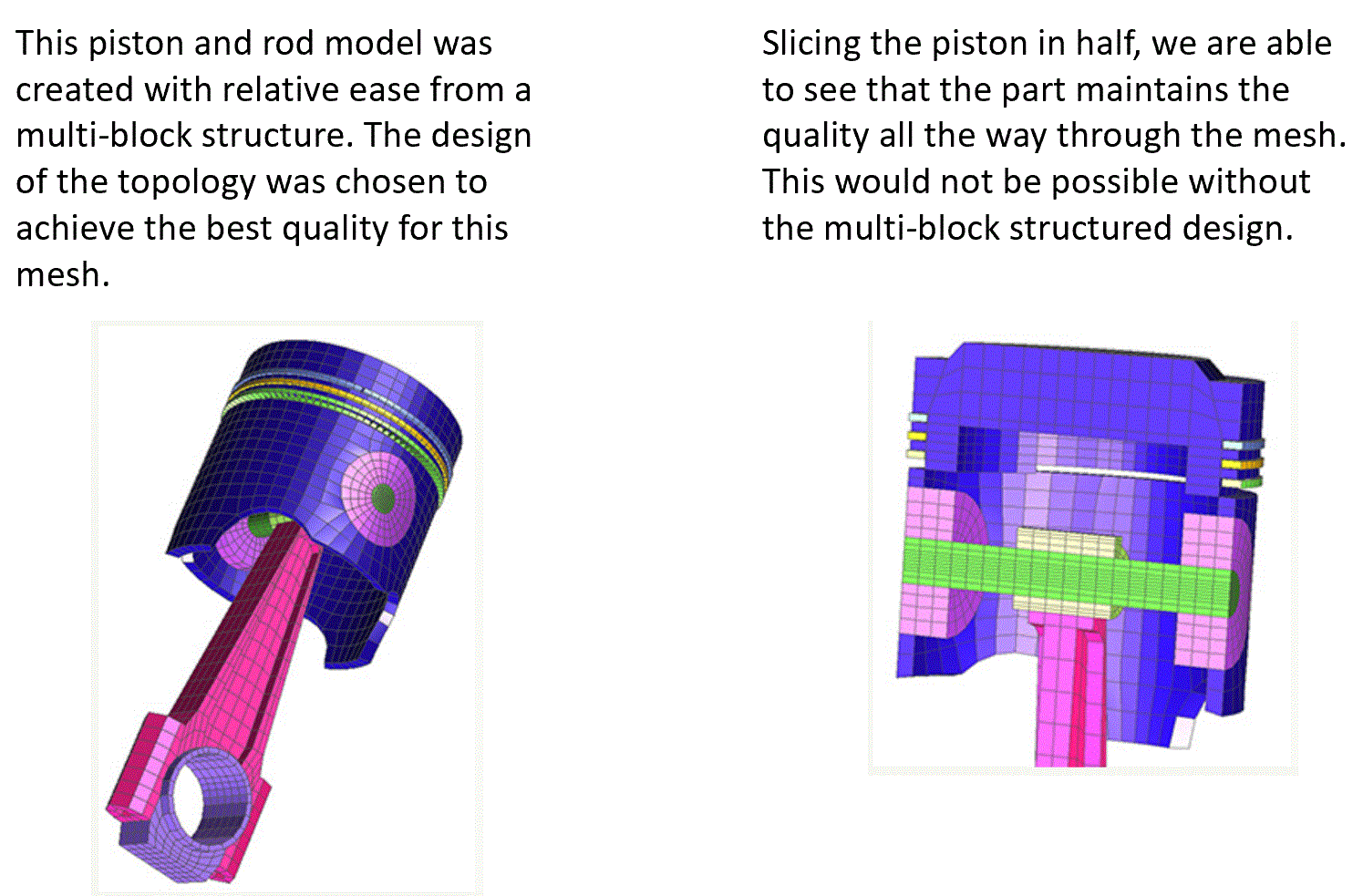
This 3D example shows the power of the multi-block structure. It is a multi-block mesh of a piston and rod. See the Piston and Rod Command File. Much of it is based on one which TrueGrid® generated from its GUI input.