
Modification Simplicity
TrueGrid® creates meshes of unsurpassed quality more quickly and easily than by any other method. Let's look at the notable features that put TrueGrid® above all other mesh generators.
The Benefits of using TrueGrid®
- Imports data from CAD/CAM, STL files, polygon data and pre-existing meshes
- User friendly GUI; easy to navigate using only two levels of menu
- Extensive help features using mouse-over and color coding
- Unique and precise projection method that deals with complex geometry
- Unique and easy to use multi-block topology to build a mesh
- Control nodal density
- Built-in geometry library, including a library of curves and surfaces
- Quality hexahedron and quadrilateral meshes
- Unique transitional element algorithm
- Easily replicated parts to form complex assemblies
- Bodies glued into one surface, avoiding nonlinearity and convergence issues
- No geometry clean-up is needed
- Trimmed surfaces supported as defined by IGES
- Smoothing with elliptic solvers
- Parametric features: variables, algebraic expressions, conditional statements
- Editable command files using parametric expressions, interrupts, and include files
- Command dialogue boxes used for diagnostics
- History table with command on/off toggles, learning and debugging tool
- Demonstrated accuracy through numerical methods of verification and validation
CAD/CAM and Solids Modelers
Modern design and simulation workflow often defines geometry with a computer aided design (CAD) system or a solids modeler. TrueGrid® uses the standard IGES interface to most CAD systems, to import geometry and transform the design into a numerical model suitable for a simulation code.
Graphical User Interface
TrueGrid® features a modern graphical user interface (GUI) to create a mesh by "point and click". Graphics takes full advantage of color, producing vibrantly colored pictures of the geometry and the mesh. Prompts, dialogue boxes, and an on-line help package intuitively guide the user in creating the mesh. Highly optimized and robust algorithms make it possible to build quality meshes interactively. Sophisticated three-dimensional graphics techniques let you view the mesh as it is built.
Viewable history table while building a mesh
While creating a mesh with the GUI, you can look at the history table to review the equivalent text commands for that mesh. The history table lets you inspect the commands affecting a selected region of the mesh, retrieve or modify a command, sort all commands or sort only the commands for a highlighted region. It can list full or reduced indices, and you can use it to deactivate or reactivate a command.
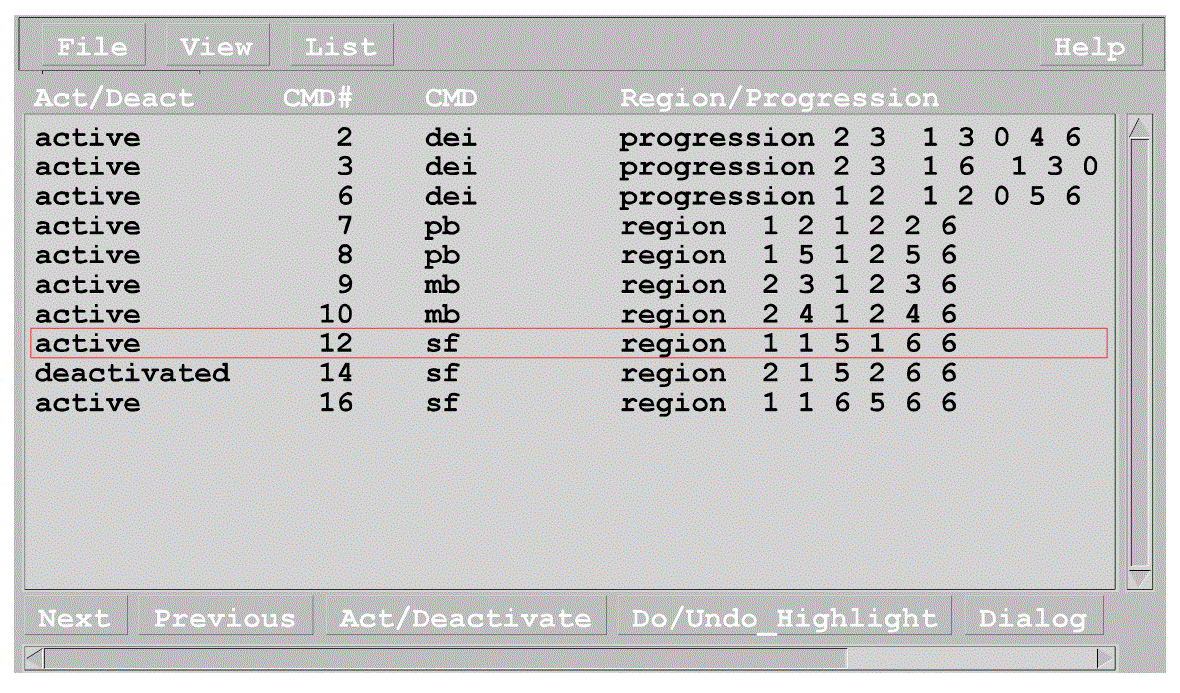
Powerful scripting language
This feature of TrueGrid® is powerful! You can define include files that can then be used in multiple command files. Combined with this and other features, the scripting language is actually a full-scale programming language for geometry and mesh generation. For more information on this, see our Geometry Library page and our Parametric & Scripting page.
Change Mesh Density Locally
You can edit the block or cylinder commands in the scripting file to make changes to your mesh. By changing the node numbers in the cylinder command, the interpretation of all the commands that follow the cylinder command in the Strut Model Command Input File are changed automatically.
This model was built using a commercial CAD system imported into TrueGrid® as 24 surfaces.
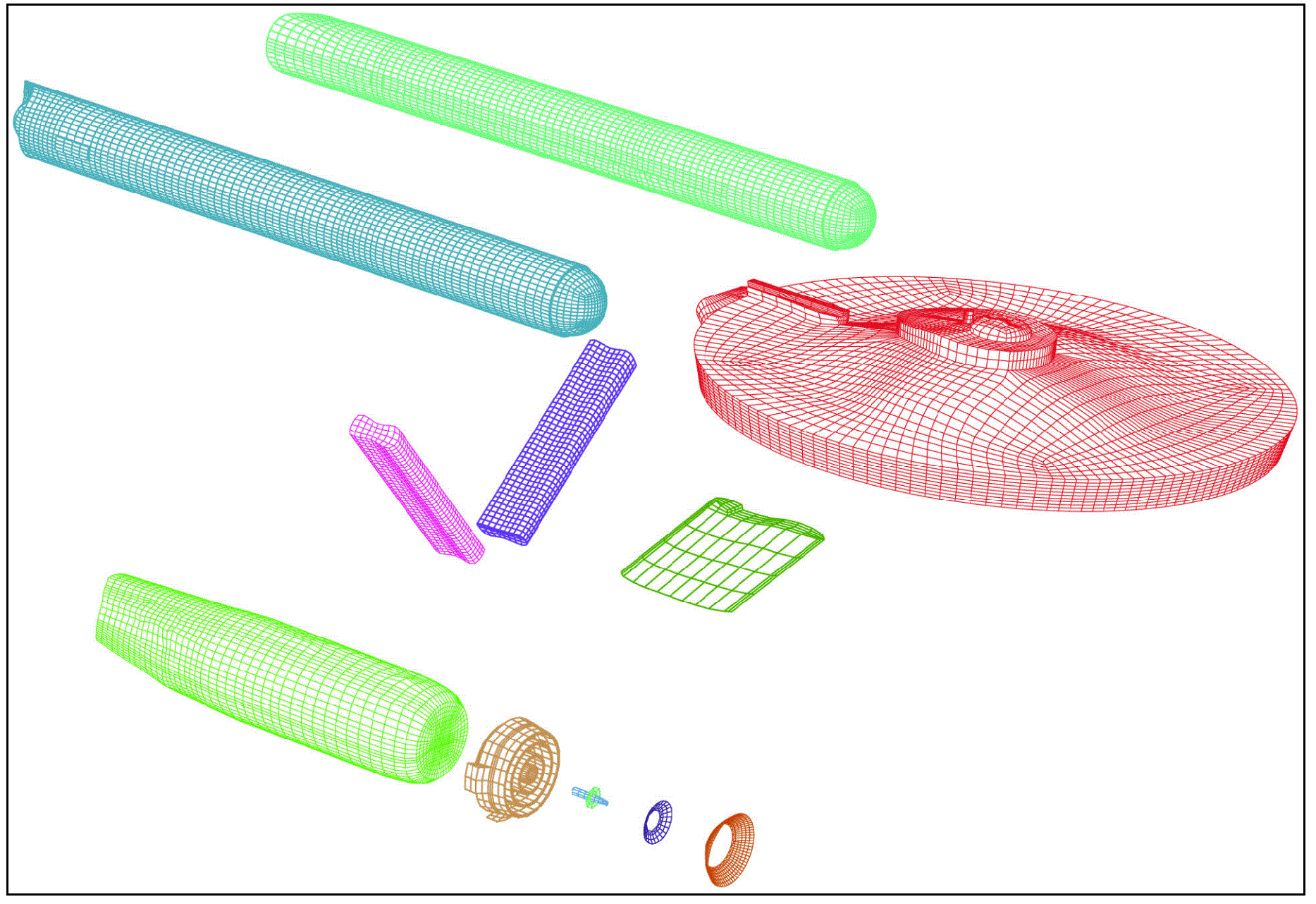
Model of a fictional spaceship, before merging parts.
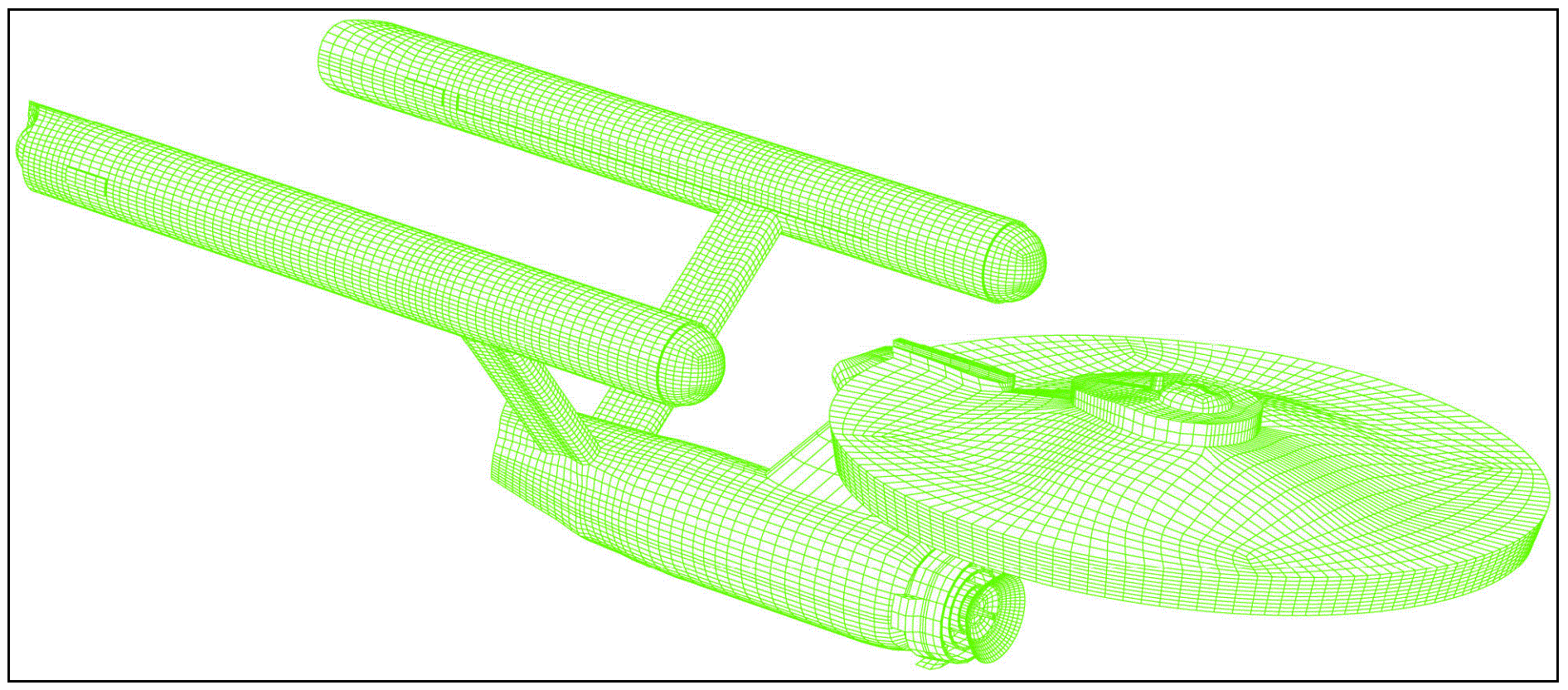
Completed model of above spaceship. Surfaces are easily glued together and treated as one surface, even when they do not meet perfectly.