
Eliminate Clean-Up
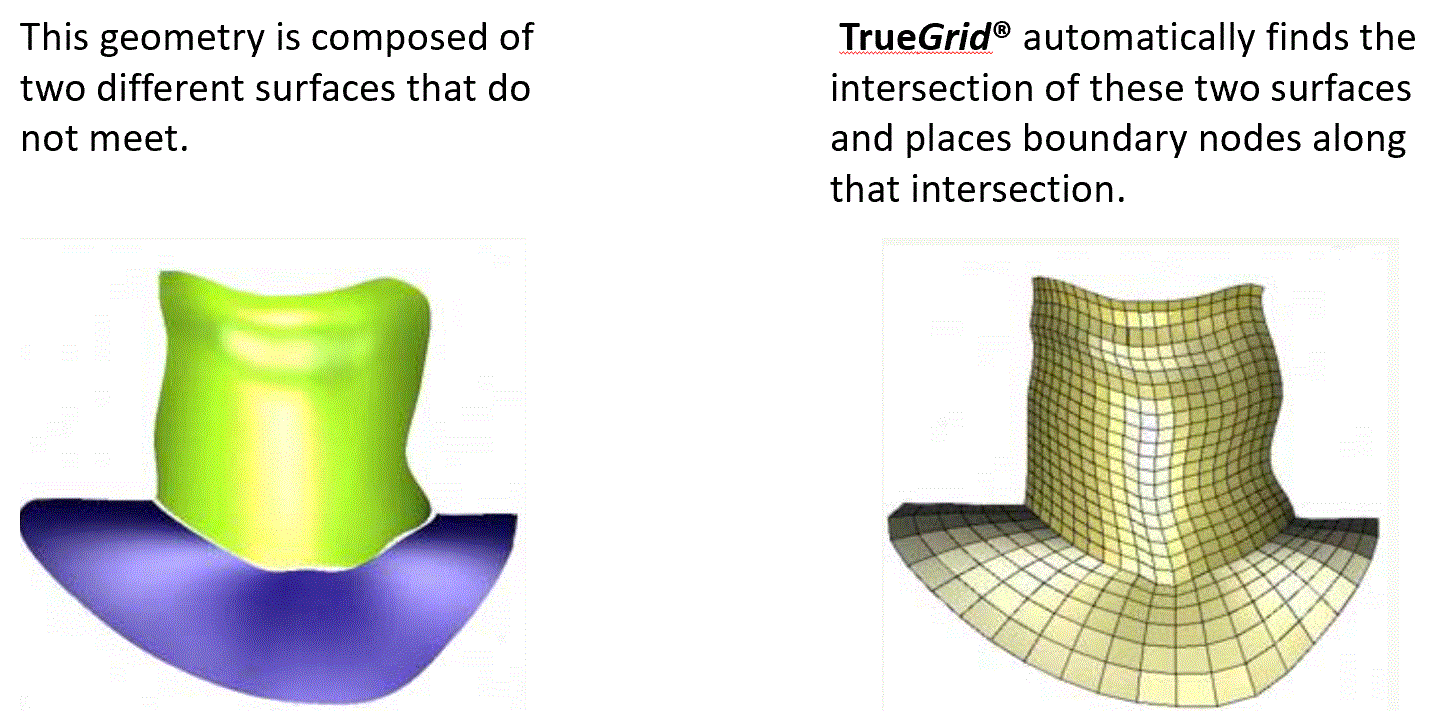
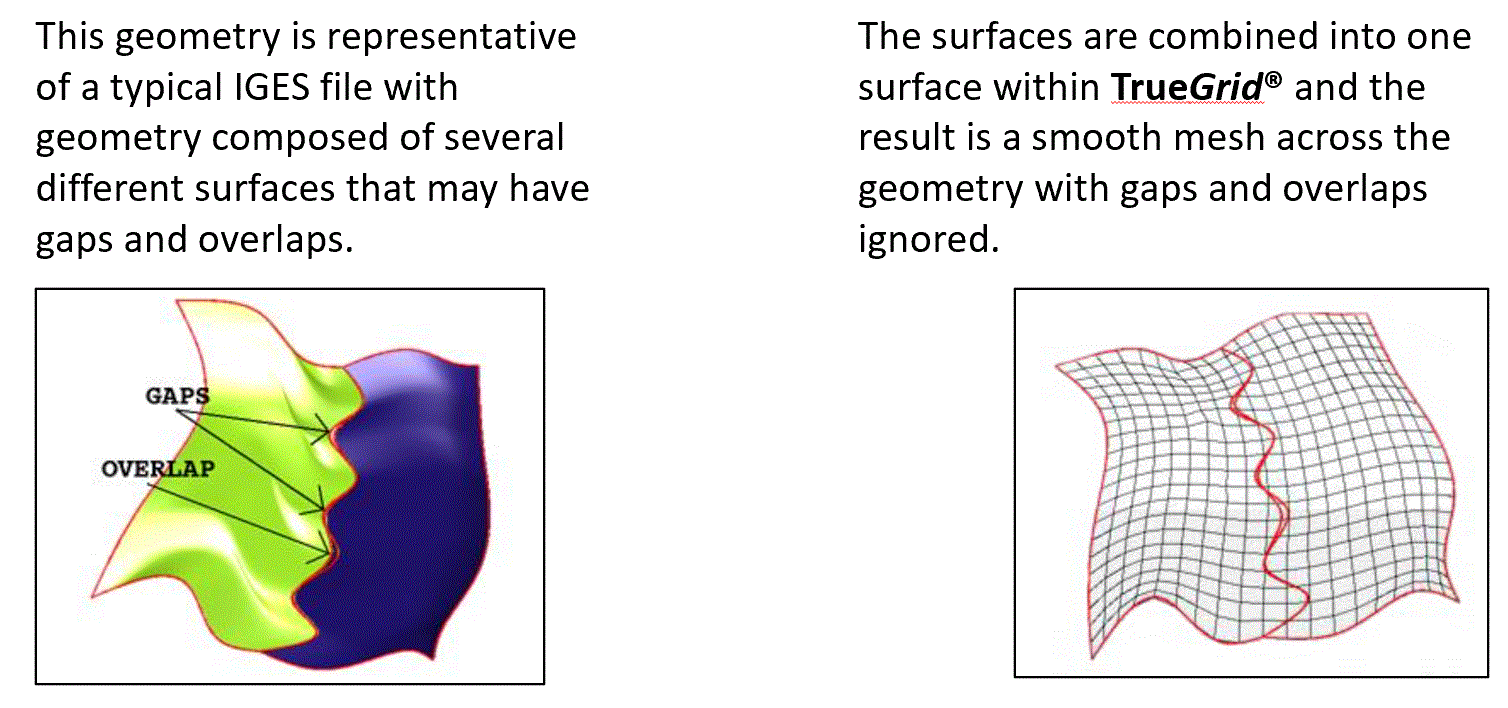
TrueGrid® faithfully imports CAD/CAM and solid model surfaces. There is no need for geometry clean-up! You do not need to spend time using tools to clean up and prepare a CAD model to be TrueGrid® ready. You can import your CAD/CAM or Solids Model in the standard IGES (Initial Graphics Exchange Specification) format and save time and frustration because your IGES surfaces will be flawless. CAD systems usually generate many surfaces that are far from ideal for meshing purposes. These surfaces tend to have small gaps between them or to overlap each other. But TrueGrid® is designed to handle such problems easily.
Achieve a Perfect Mesh with Imperfect Surfaces
Every CAD System and every solids modeler has a tolerance when the surfaces are written to an IGES file. Surfaces may overlap or have a gap between them, but the defect will be within the tolerance. Given such a geometry, TrueGrid® will automatically adjust the mesh so that it exactly matches the shape of the object. This is done efficiently and accurately for all types of surfaces. TrueGrid® will smooth these surfaces by approximating the tangent planes.
TrueGrid® Automatically Finds the Intersection of Surfaces
In contrast to the previous example, where we did not want a mesh line to follow surface boundaries, this example requires that a mesh line follow the surface boundaries. TrueGrid® handles this case just as elegantly by ignoring the gaps and automatically intersecting the surfaces.